
Jones Website

Design

Recreation
A BBQ-brand promo layout recreated in Figma using scalable components, design tokens, and responsive behaviors.
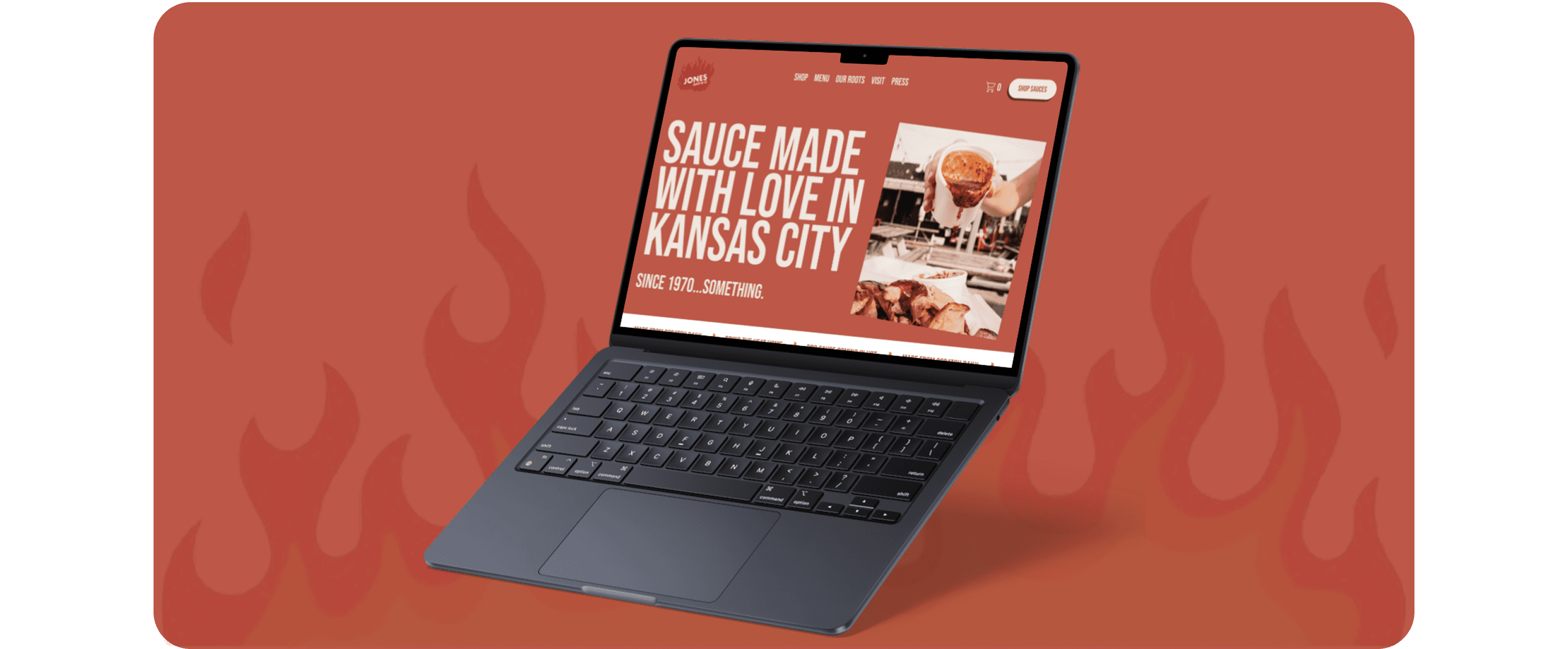
Project Overview: Jones BBQ Design
This project was inspired by a promotional layout I found on Pinterest for a local BBQ brand. I recreated the design in Figma to deepen my expertise in Auto Layout, components, variants, and design systems. My goal was to build a visually rich, responsive homepage that could scale across screen sizes and support light/dark theming. I focused on structuring reusable components, applying design tokens, and simulating real-world responsiveness- all while preserving the brand’s bold, flavorful aesthetic.
Design Highlights
1
Tools Used
Utilized Auto Layout, Variants, and Variables using Figma to build a modular, theme-adaptable system that scales across screen sizes.
Applied component properties and layout constraints to simulate responsive behavior and minimize repetitive design work.
2
Design System
Defined a tokenized structure for surfaces, text styles, accent colors, and interaction states to support seamless theming.
Established a typographic and spacing framework that maintain clarity, rhythm, and accessibility across all sections.
3
Component Library
Constructed reusable components for navigation, hero banners, product showcases, testimonials, and footers, each with variant logic.
Maintained a clean “Local Components” board with semantic naming, documentation, and variant toggles for easy testing and reuse.
4
Visual Design
Honored the brand’s bold red-and-cream identity while enhancing contrast, legibility, and emotional tone through expressive type and layout.
Structured content into modular visual blocks that support storytelling, product promotion, and user engagement without visual clutter.
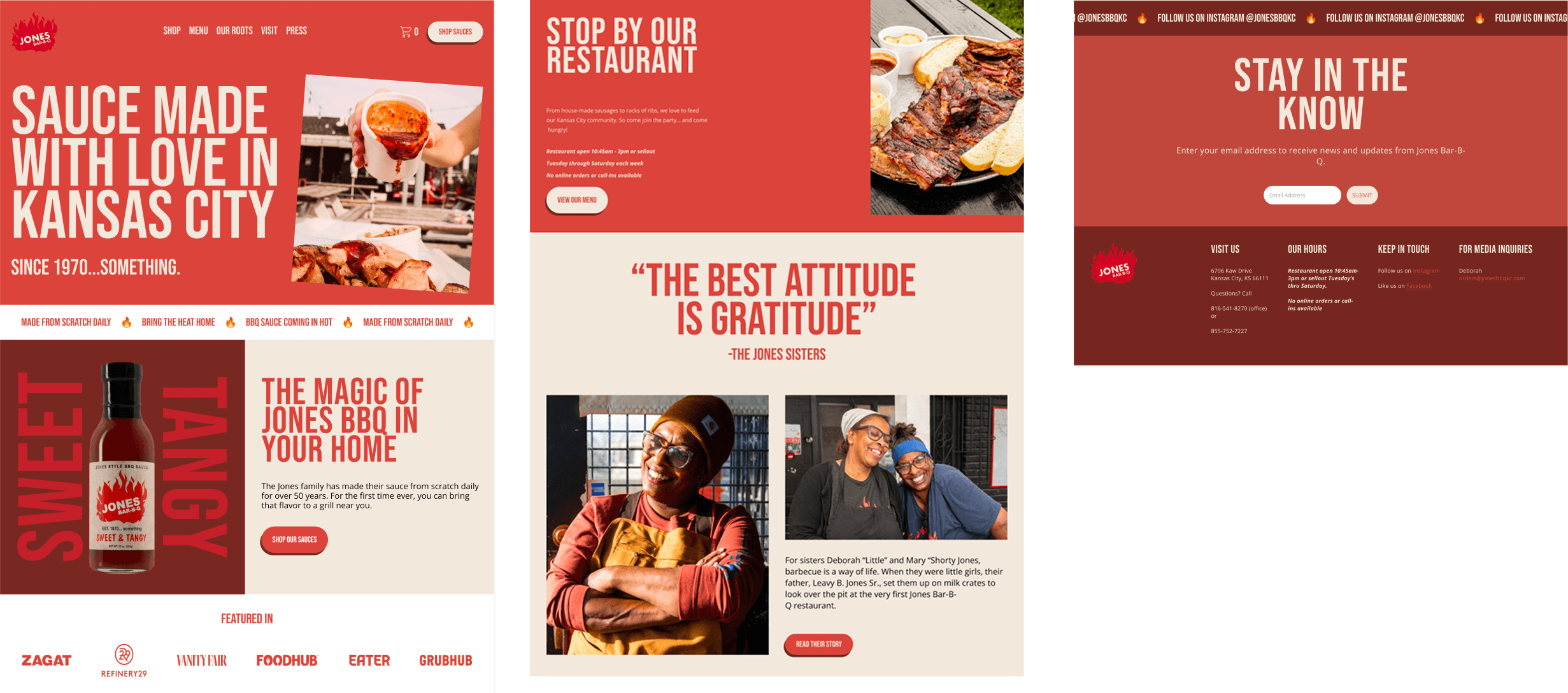
Auto Layout & Responsiveness
I used Auto Layout to ensure the Jones BBQ website design could adapt seamlessly across desktop, tablet, and mobile breakpoints without requiring manual resizing. The layout was structured on a 12-column grid for desktop, which compressed to 8 columns on tablet and 4 on mobile, maintaining balance and rhythm across devices. In the hero section, the headline and product CTA stack vertically with consistent spacing, while the bottle image scales proportionally to preserve visual impact. Testimonial blocks were designed to wrap text and images naturally, with CTA buttons repositioning below the content on smaller screens for clarity. Finally, the footer and contact sections were built with Auto Layout to keep alignment and spacing intact, ensuring the design remained cohesive and user-friendly across all screen sizes.
Design Systems & Lessons Learned
Theming with Design Tokens
Color Tokens: Defined variables for surfaces, text styles, and accents to ensure consistent theming.
State tokens: Established hover, focus, and disabled states as reusable variables, keeping interactions unified across components.
Icons and Text Styling: Configured icons to inherit currentColor or swap to theme-specific variants, while text styles adapt automatically through token links.
System Consistency: Built a single source of truth where updating a token cascades changes across the entire design, improving scalability and accessibility
Process & Learnings
Component-first Mindset: Started with atomic elements (icons, titles, buttons) before assembling larger sections, ensuring reusability.
Variant Logic: Designed theme, density, and layout variants to stress-test flexibility and adaptability across different use cases.
Token Discipline: Relied on variables to drive all color and state logic, making updates fast and reducing duplication.
Responsiveness Testing: Simulated breakpoints to confirm layouts held their integrity without manual overrides, while maintaining the brand’s bold personality.